Helping social teams measure what matters.
I designed for Sprout Social’s analytics suite, helping social media teams understand their performance and prove the value of their work, from custom metrics to competitive reports.
+38%
report customization
-90%
feature requests
How do you help social media managers stop relying on outdated spreadsheets and start trusting their data again?
Engagement is one of the most important metrics for social teams, but it means something different to every business. Sprout’s analytics defined it one fixed way. Reports were cluttered with categories teams didn’t care about, so customers exported their data and rebuilt engagement in spreadsheets.

Engagement meant something different to every team
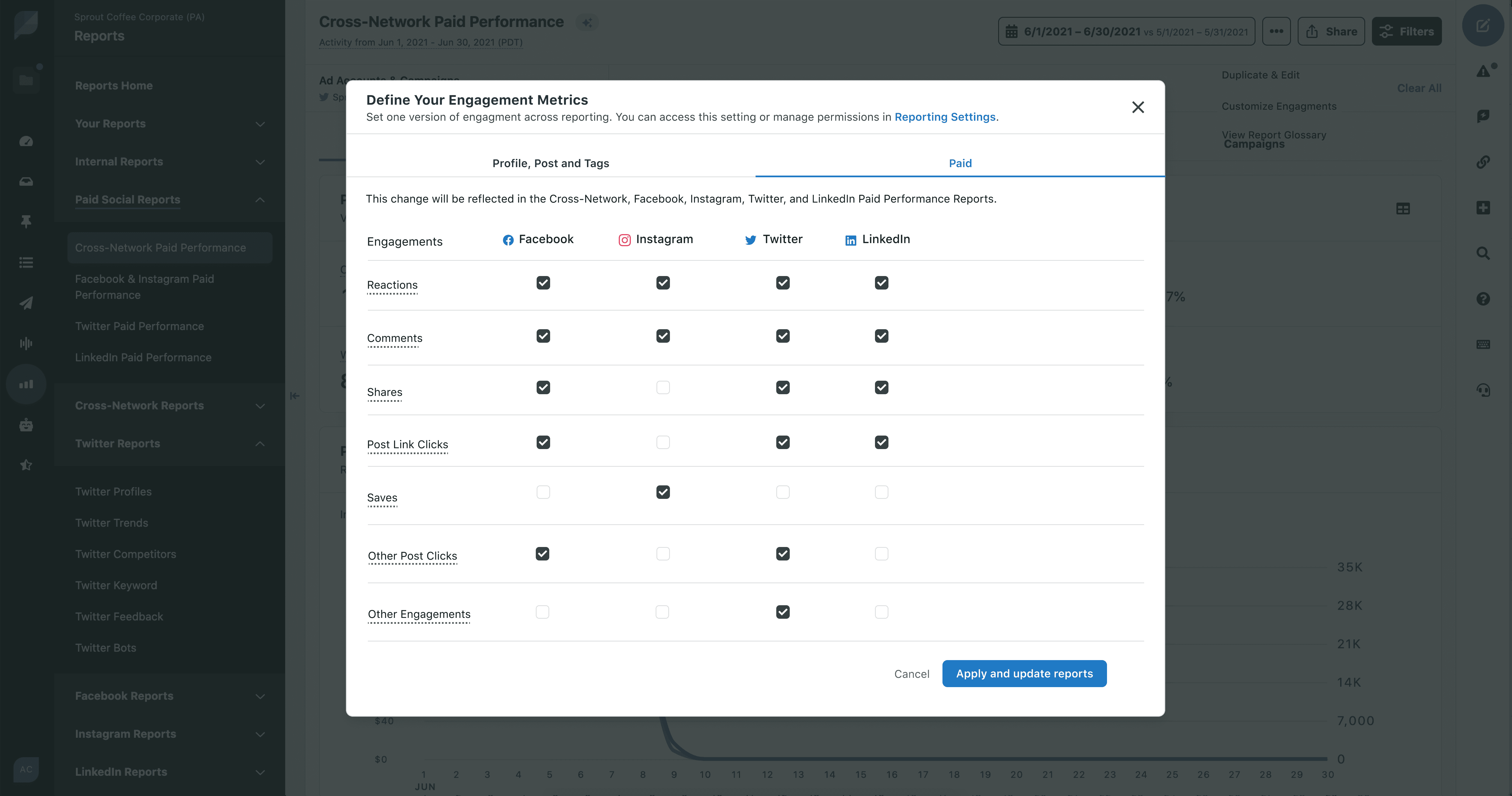
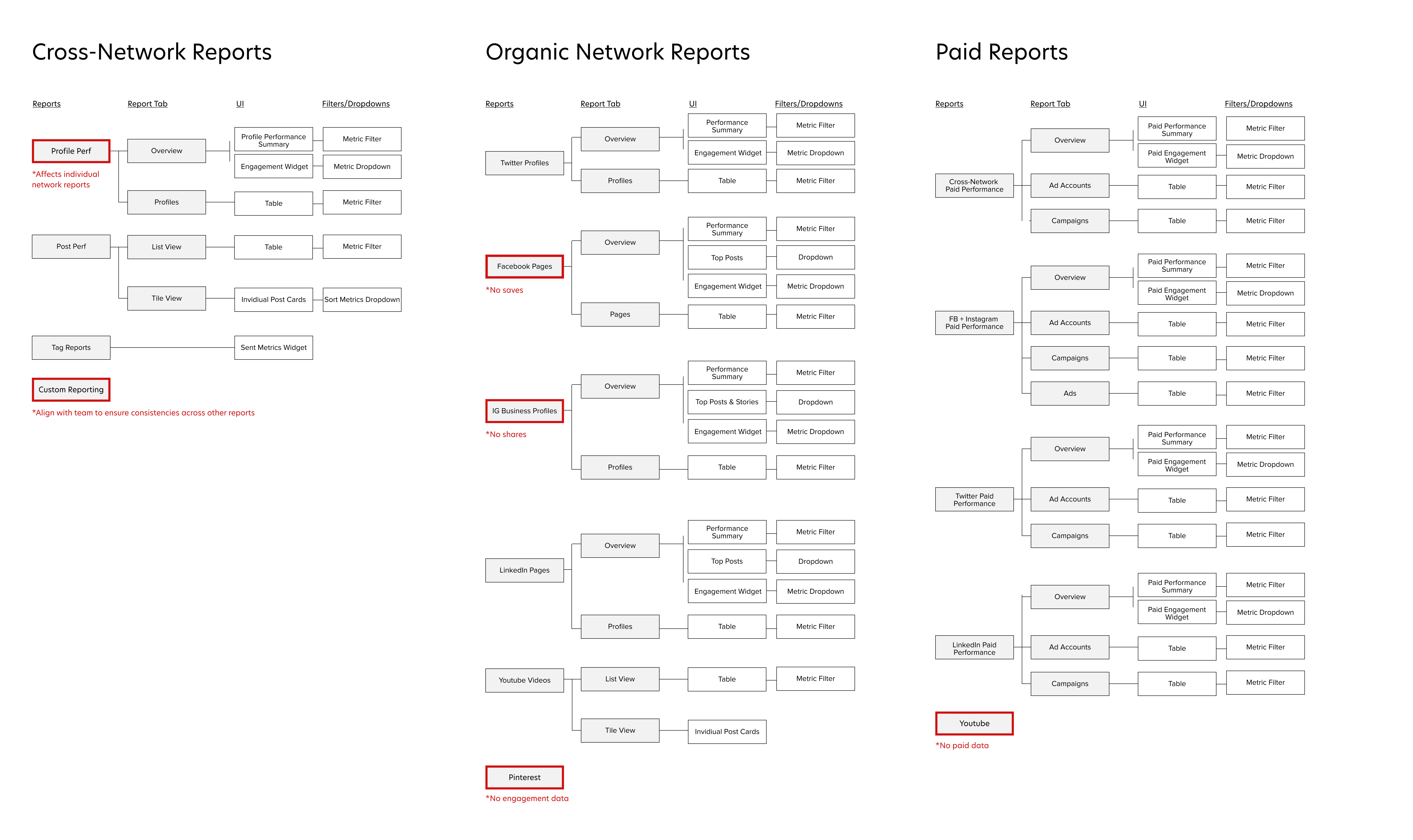
Custom Engagements let teams choose which actions, such as comments, shares, or link clicks, count as engagement. The challenge was giving managers that control without adding complexity, and without breaking consistency across Sprout’s other reports.
Change metrics only when goals change
The design process started with principles drawn directly from research. Across cutsomer interviews with social media managers, one theme kept coming up: they wanted a set-and-forget system. Once a team decided what engagement meant for their business, they didn’t want to redefine it every time they opened a report. But their goals changed over time, with new campaigns, new platforms, and new priorities, so they also needed an easy way to adjust it later.
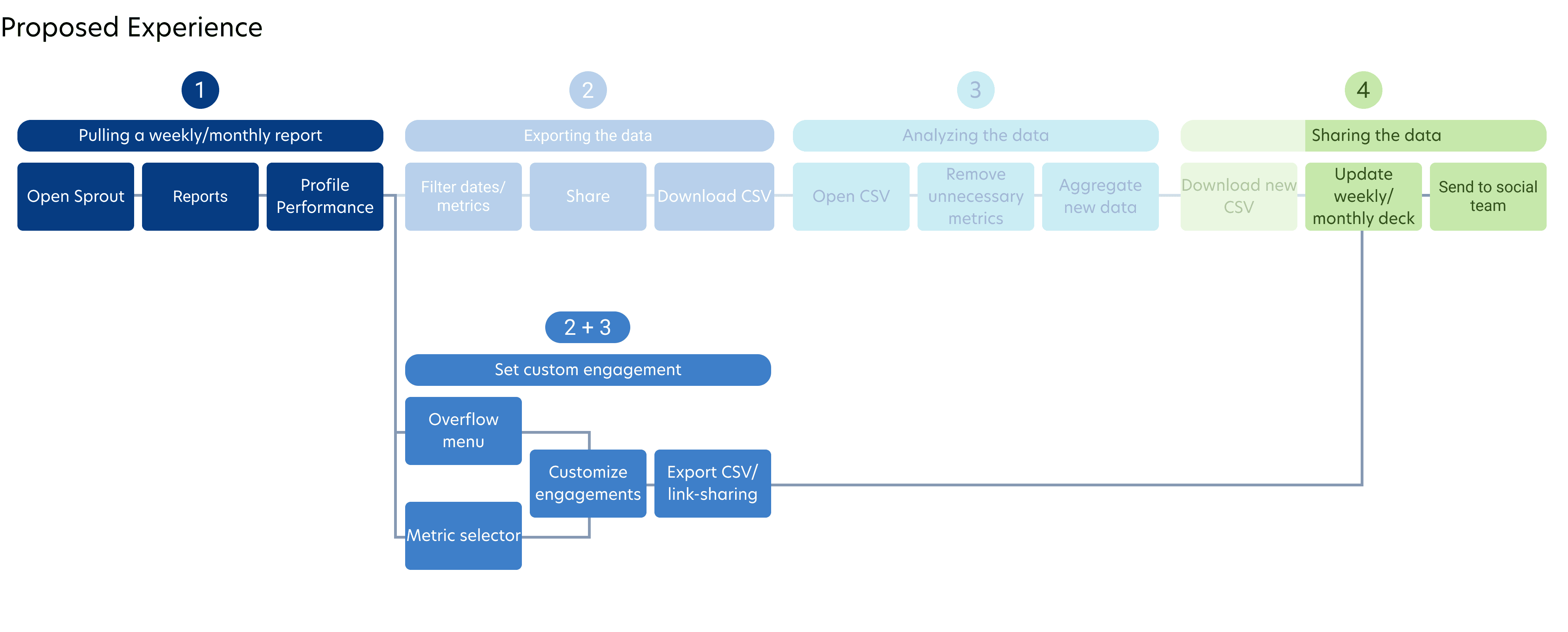
From that, I set design principles for the experience: engagement should be defined once and apply everywhere, and changing it should happen in context, without hunting through settings. With my PM and engineers, I mapped the full journey for setting up a custom metric, from first seeing engagement data in a report to updating it months later. That mapping showed the moment managers cared most about engagement was while reading a report, not while configuring settings, so the workflow needed to meet them there. That insight shaped three design decisions.
Inside the report, not buried in settings
Managers notice engagement while they’re reading a report, not while browsing settings. So I placed the setting directly in the report, with an in-context prompt the first time they see engagement data. They can define their metric without leaving their work.
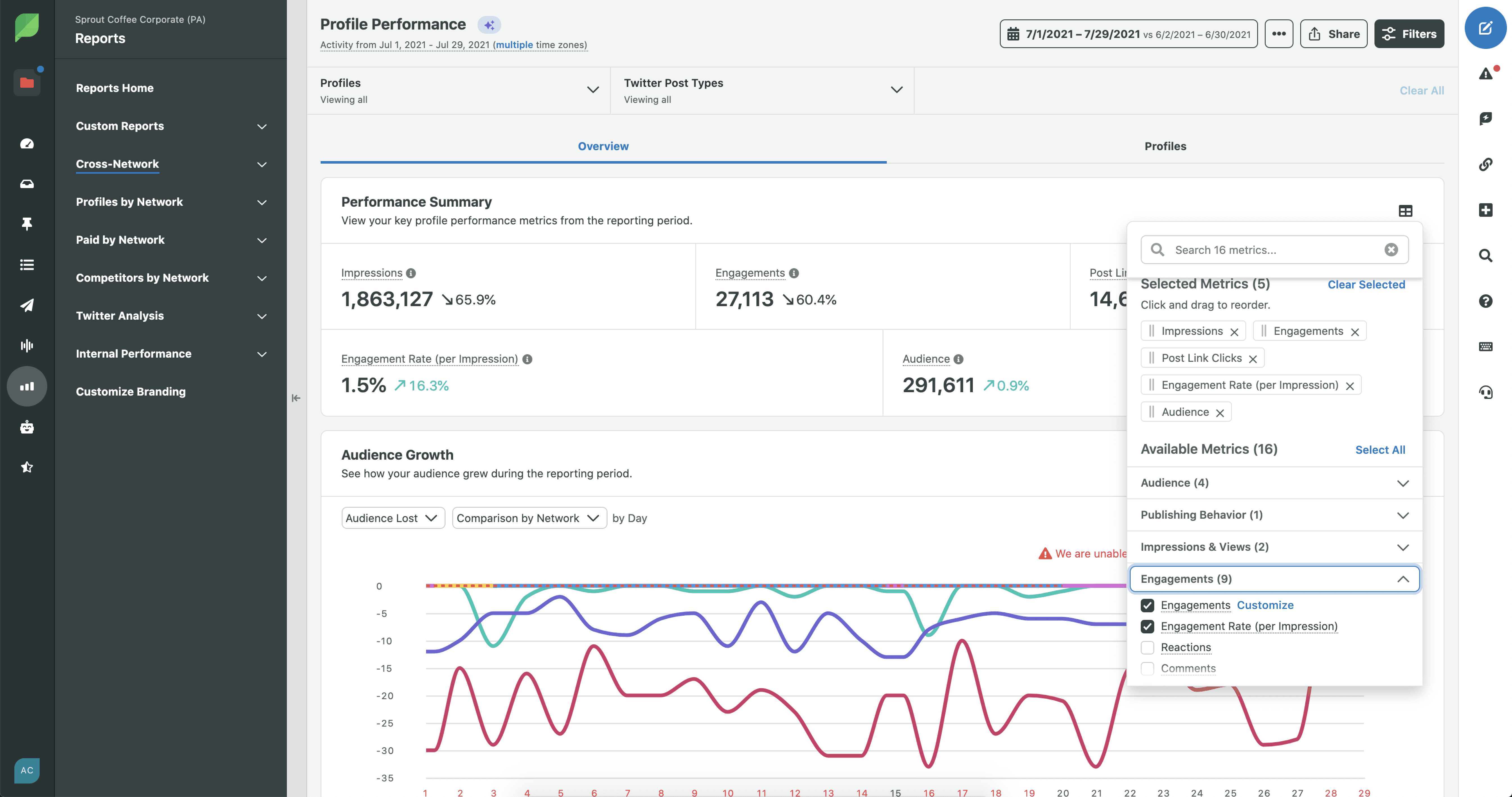
Set and forget, but easy to edit
The definition saves automatically and applies everywhere, so it stays set and forgotten. A clear edit option in the report means changing it later takes [one step], not a support ticket.
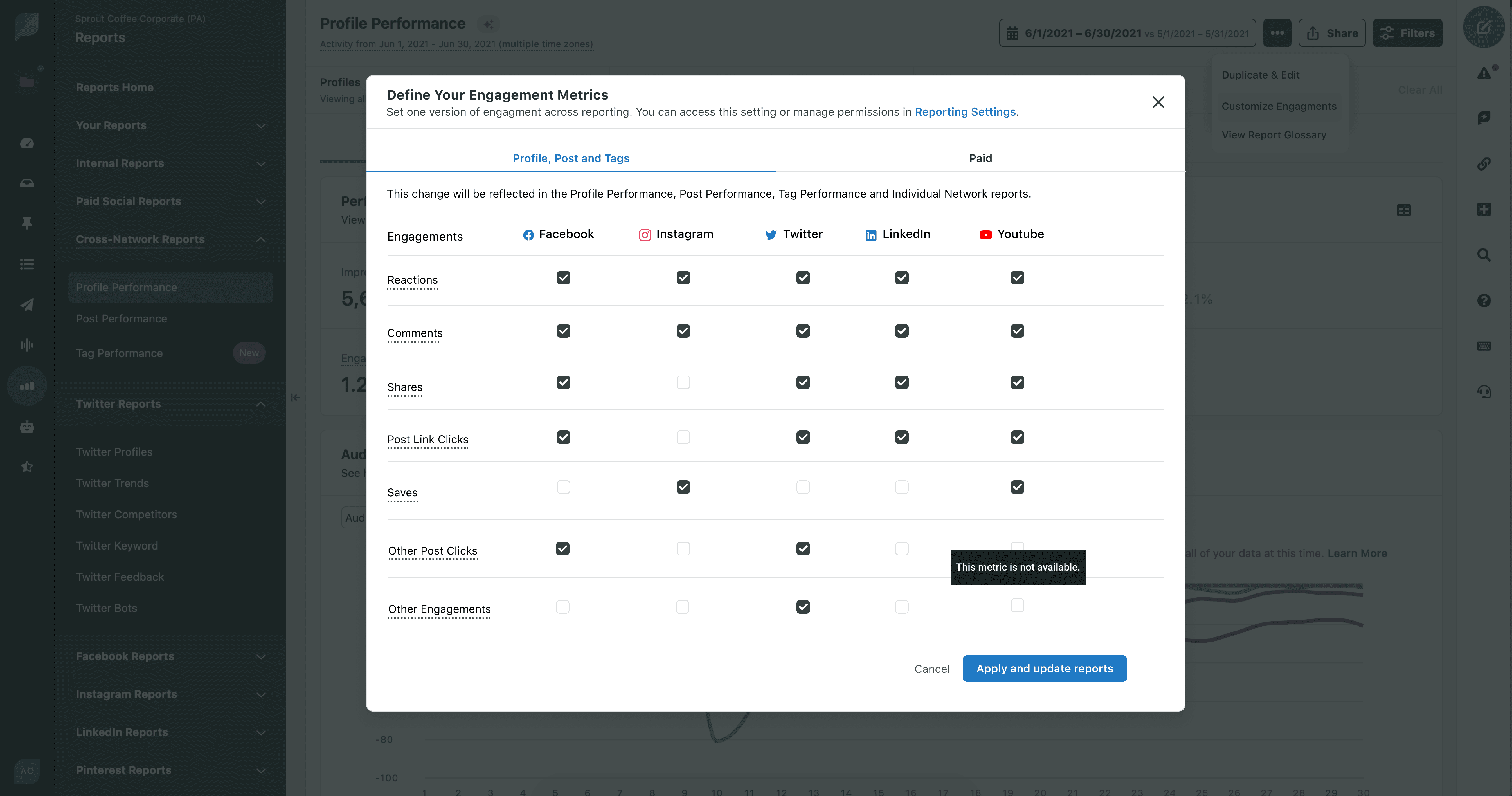
Group settings by workflow
Research showed paid social is often run by a separate team, so I gave Paid reports their own engagement setting. Each team can define engagement the way they work without overwriting the other’s.